abcZ Network Tool
Find REDZ devices on your network and update their firmware - one device or a whole list.
Find the devices, update their firmware
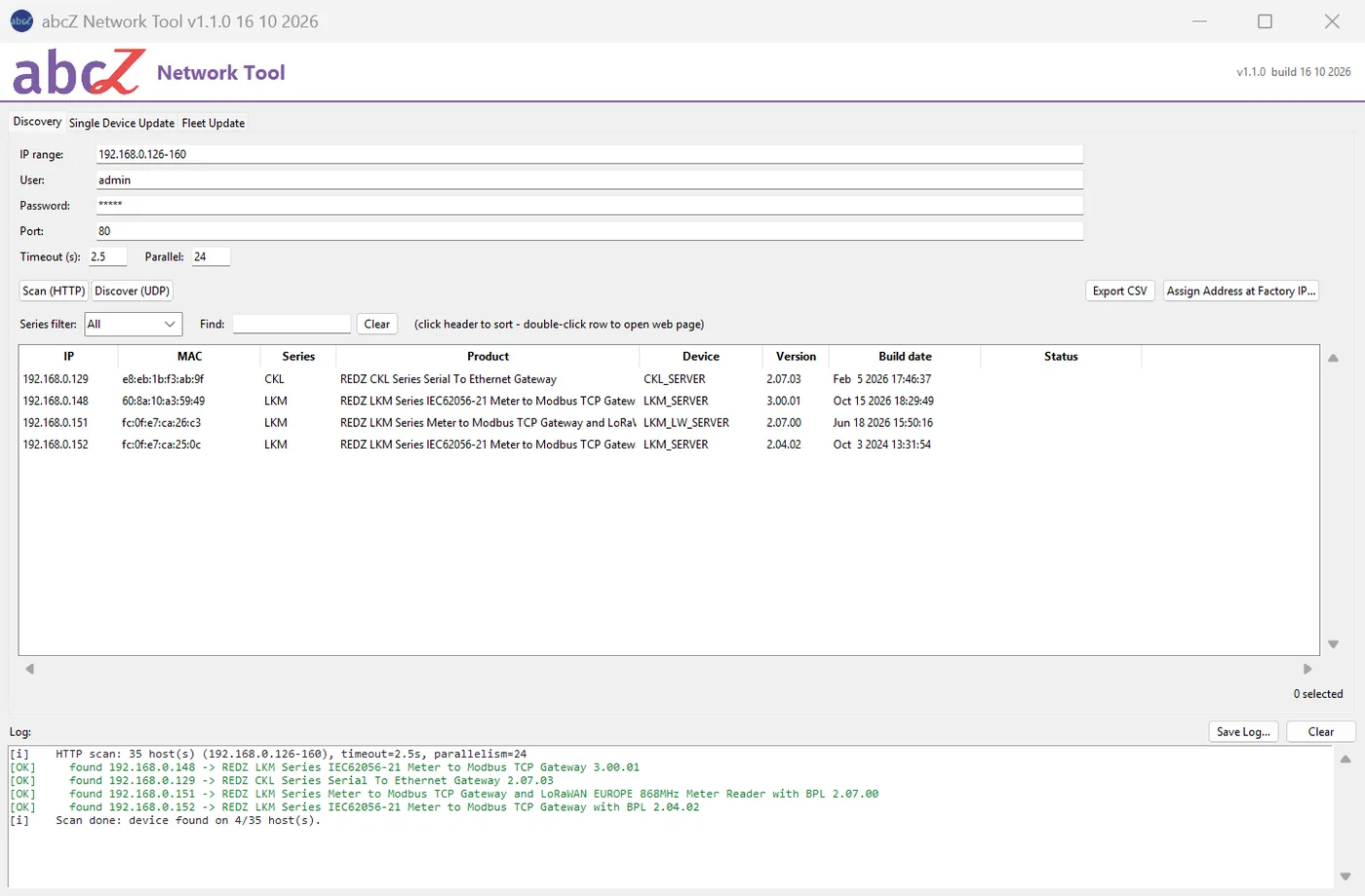
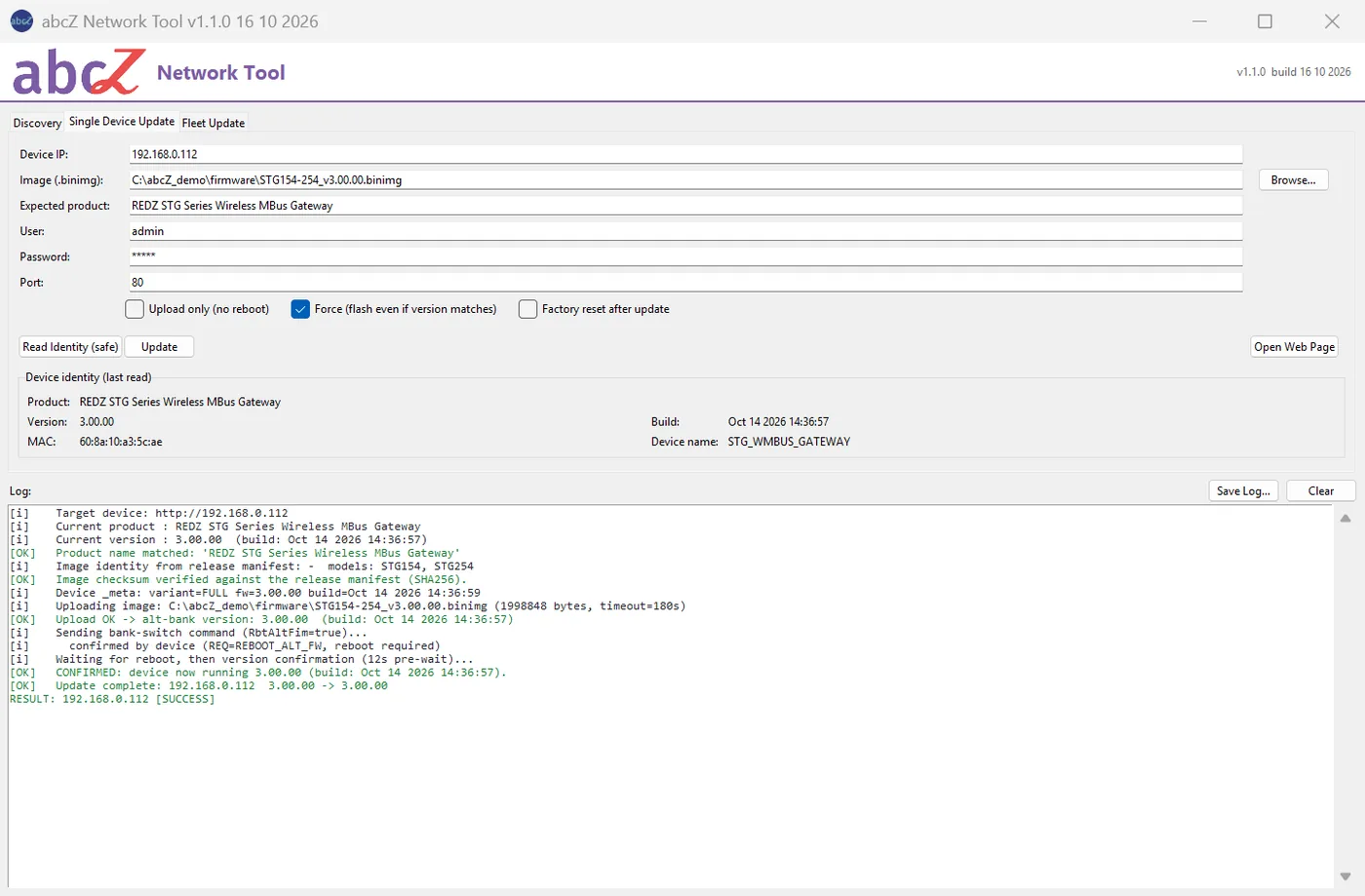
abcZ Network Tool finds REDZ devices on your network and shows the product, firmware version and build date of each one. It updates their firmware over the network, one device at a time or a whole list of devices, with an optional pilot device that goes first. Before it writes, it checks the image against the device; afterwards it reads the running version back to confirm the update.
Discovery
Scan an address range, also behind routers, or discover the devices in the PC's own subnet.
Read the chapter (opens in a new tab)Fleet update
Fleet update from a CSV list: a pilot device is updated first, the others only if it succeeds; a report file of every run.
Read the chapter (opens in a new tab)Safety checks
The expected product name, the image variant against the device, the checksum from the firmware package's release file.
Read the chapter (opens in a new tab)A confirmed result
The bank switch is sent once and never repeated blindly; the result is the version and build date read back from the device.
Read the chapter (opens in a new tab)Device actions
Device actions from the list: restart, restore the factory configuration, set a fixed IP address.
Read the chapter (opens in a new tab)Factory address
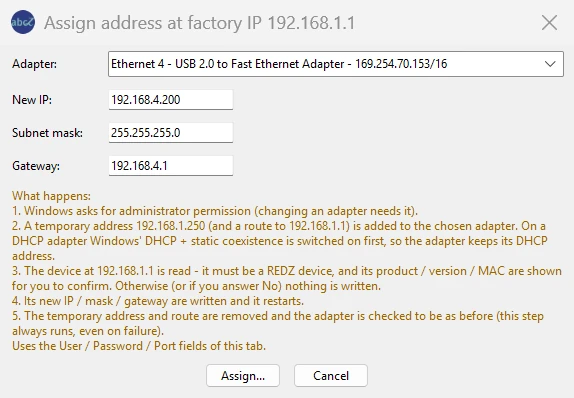
Give a device waiting at its factory address 192.168.1.1 a new address from a PC on another network.
Read the chapter (opens in a new tab)Device families
REDZ device families TLM-LM, TLM-LW, HUR, STG, CKL and LKM, generation 2 and 3 firmware.
Read the chapter (opens in a new tab)The tool at work
A device still at 192.168.1.1
Give a device at its factory address 192.168.1.1 a new address from a PC on another network.
abcZ Network Tool 1.1.0
- A Windows PC. No installation: one program file, abcZ_Network_Tool.exe.
- Network access from the PC to the devices' web servers (HTTP, port 80 unless you choose another).
- The user name and password of the devices' web interface.
- Administrator rights only for assigning an address at the factory IP.
- The program file is not digitally signed.
- The tool sends the devices' user name and password with every request over plain HTTP, as a web browser does when you open the device's page.
- File
- abcZ_Network_Tool-1.1.0.zip
- Size
- 13.4 MB
- SHA-256
- dafe280ba76bd1725dab79b796e4537f84bd4d89f129f01f09671f323418ed3f