Your probes in one window
It finds your probes, reads what each probe reports about itself, and lets you change the probe's settings, read its Bluetooth or Wi-Fi module, update its firmware and read its diagnostic counters. It works with five probe models: KMK118, KMK119, KMK138, KMK139 and KMK179.
Find your probes
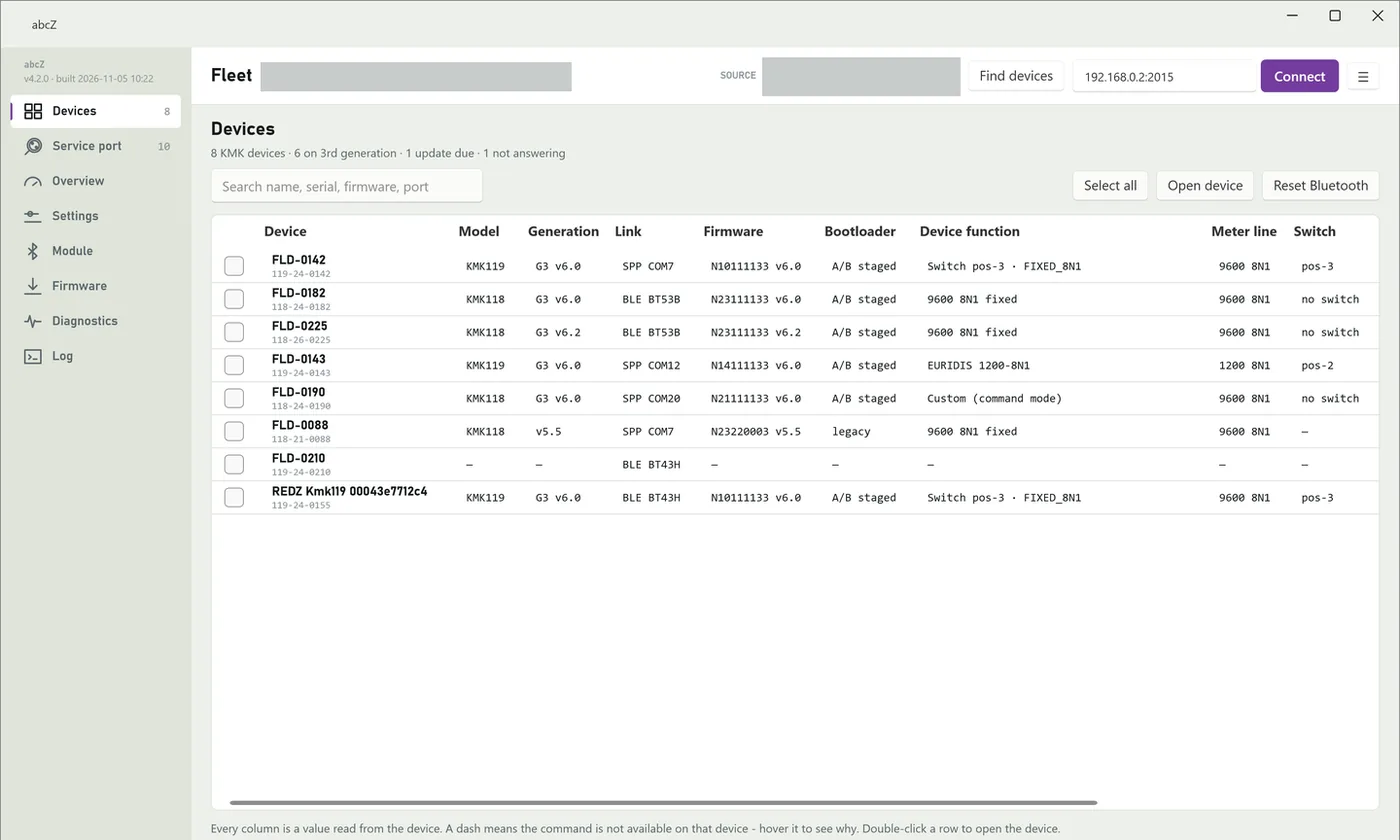
Finds KMK118, KMK119, KMK138 and KMK139 probes over Bluetooth and reaches a KMK179 by its IP address on the network. Each probe gets one row, and apart from how abcZ found and reaches it, every column shows a value read from the probe itself.
Read the chapter (opens in a new tab)The probe at a glance
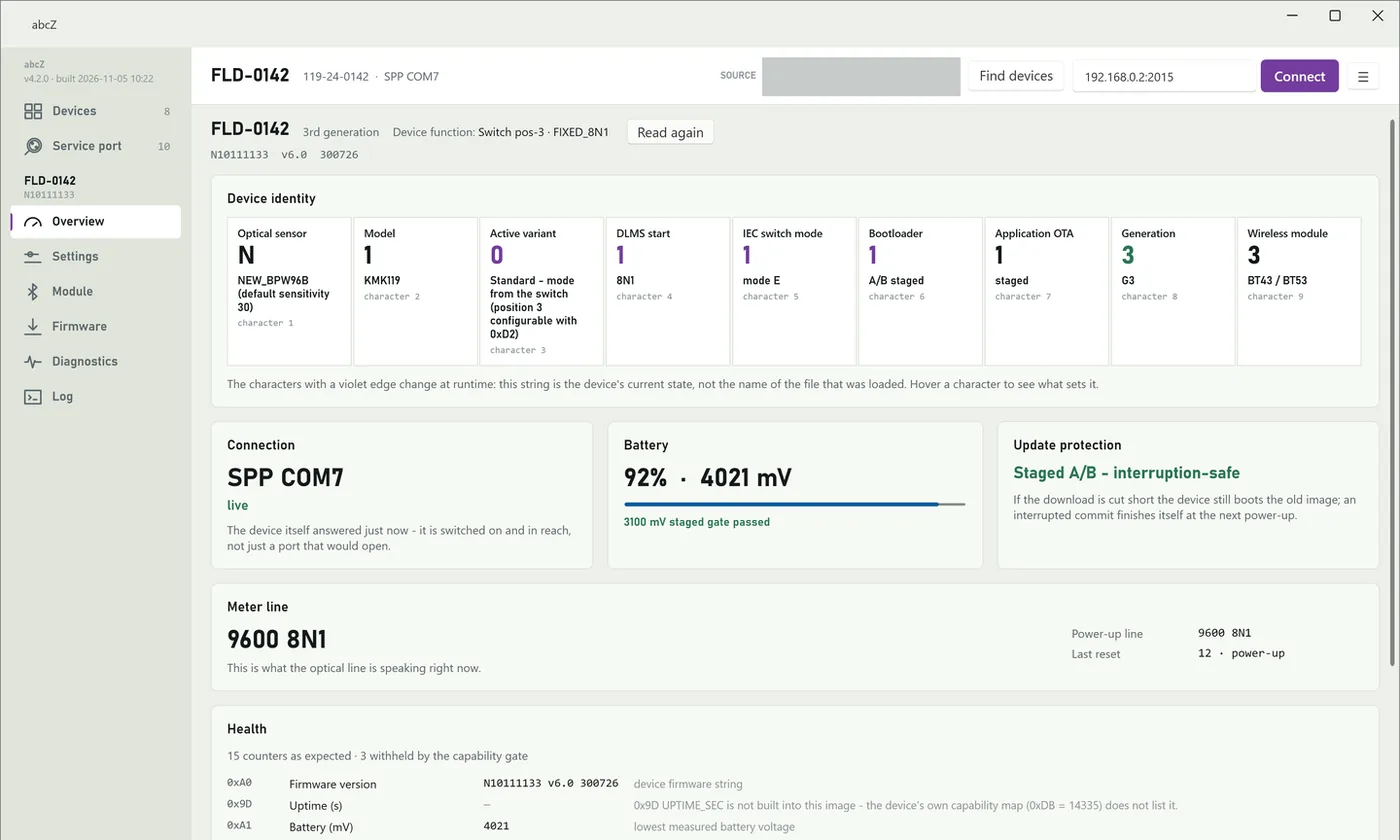
Opening a probe shows what it reports about itself right now: who it is, how it is connected, its battery, how safe a firmware update is, the meter line and its health.
Read the chapter (opens in a new tab)Settings and the meter line
Read the probe's settings and change them. The page shows what the probe reported, not what abcZ last wrote. In command mode you can change the speed and framing of the meter line and store them as the probe's power-on default.
Read the chapter (opens in a new tab)Bluetooth and Wi-Fi module
Reads the radio module inside the probe, the Bluetooth module of a KMK118, KMK119, KMK138 or KMK139 or the Wi-Fi module of a KMK179, and shows its identity and, for most everyday settings, our standard value. Over the service port, with a USB optical probe, abcZ talks to the module directly, for example to set the Wi-Fi settings of a KMK179.
Read the chapter (opens in a new tab)Firmware for one probe or many
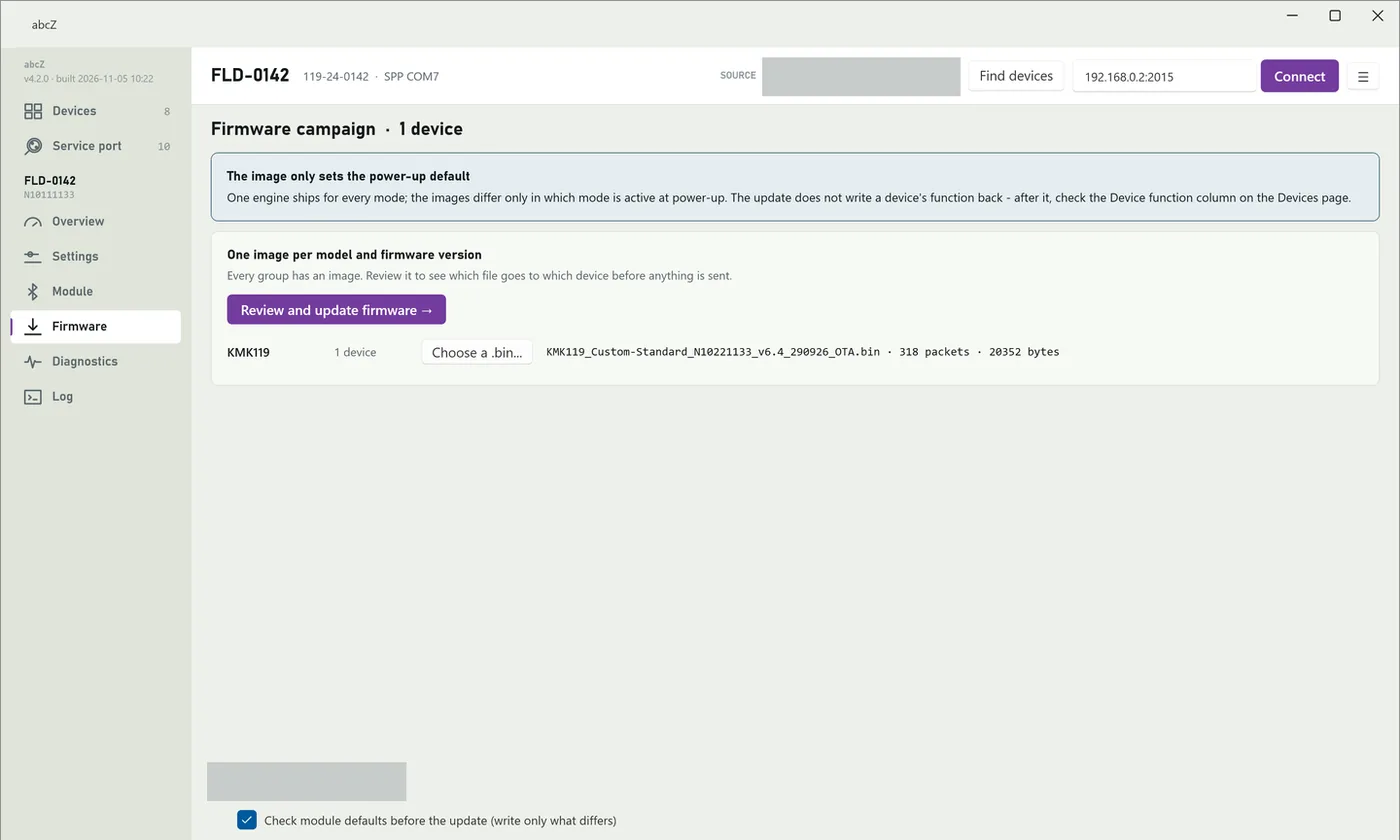
Updates one probe or several at once in three steps: choose the image, review the plan, start. abcZ reads every probe again after its update. Older probes with v5.x firmware are updated too.
Read the chapter (opens in a new tab)Diagnostics and the log
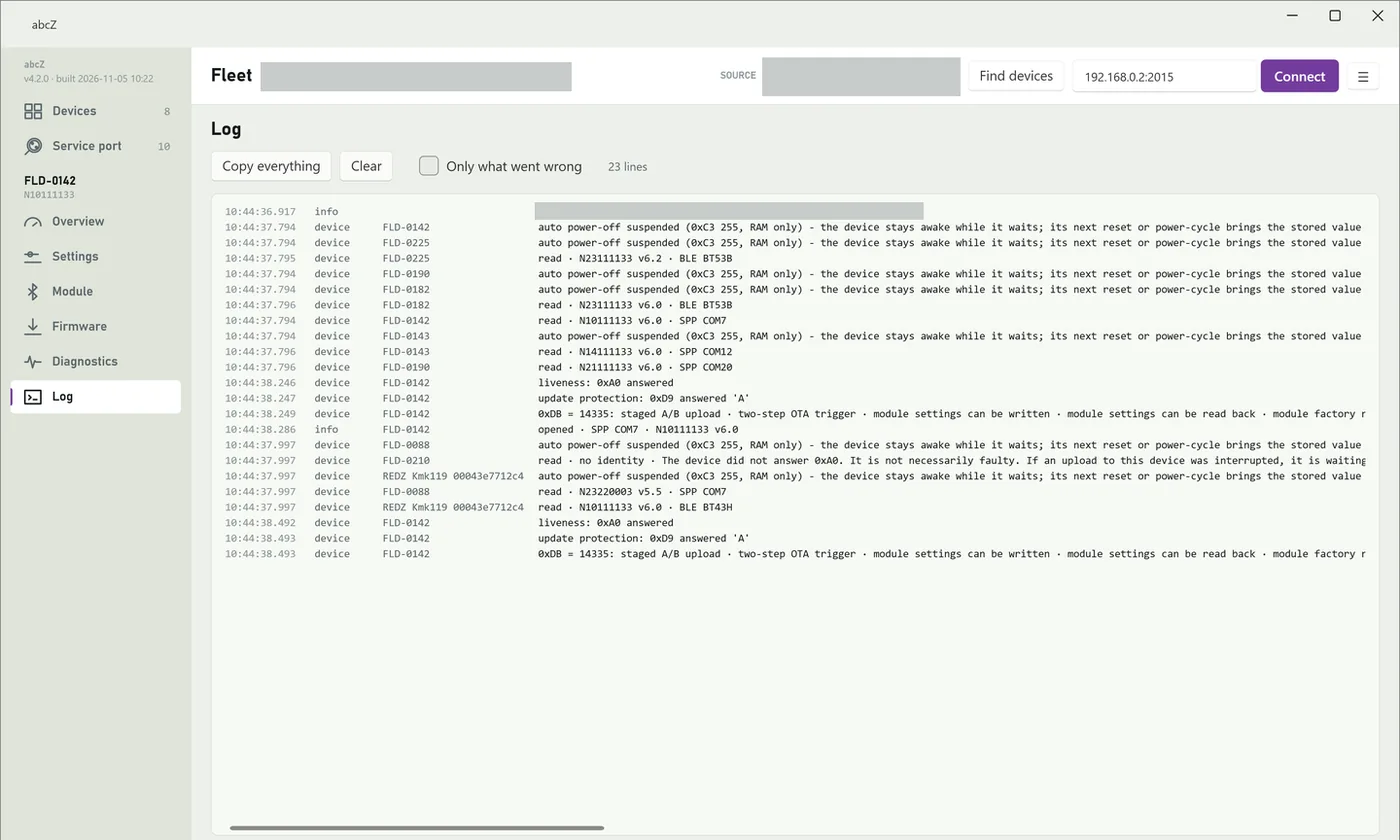
Reads the probe's diagnostic counters and, with a baseline, shows what one action cost the probe. The log lists what abcZ did and what the probes answered, ready to copy for support.
Read the chapter (opens in a new tab)Customer test
Leads you through the sessions of a field test that we send you as a test package, and adds one line for each session to a result file that you send back to us.
Read the chapter (opens in a new tab)The app at work
abcZ 4.2.0
- 64-bit (x64) Windows 11 in a version Microsoft still supports, or a Windows 10 Enterprise LTSC or IoT Enterprise edition that Microsoft still supports (the Windows versions .NET 10 supports)
- One program file, abcZ.exe: no installer, nothing else to install
- For KMK118, KMK119, KMK138 and KMK139 probes: a Bluetooth adapter that Windows recognises
- For KMK179 probes: a network connection from the PC to the probe
- For the service port: a USB optical probe connected to the PC
- File
- abcZ-4.2.0.zip
- Size
- 68.8 MB
- SHA-256
- e79f6b6f65b9e8cbddaf6c1f12c69cc6132e16042f2bf816b8109fa78f11a1ef